
Updated 14 October 2026 · Quick guide
Build a checklist, record your copies and see what is missing. One account connects all four collecting sites.
Create your project
Sign in. Open My projects, choose New project and give it a name. Choose Create project. It starts private.
Choose the versions you want
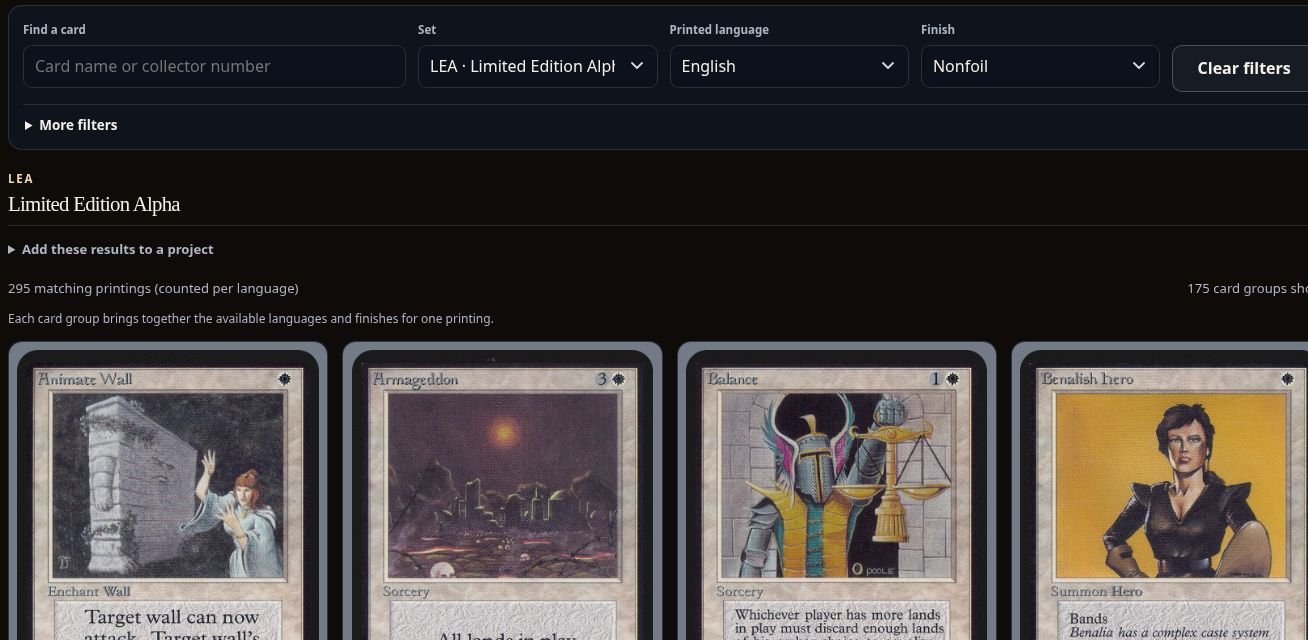
Filter Cards by Set, Printed language and Finish. Open Add these results to a project, choose your project, then Add filtered to goal. Set the minimum quantity to 1.
Record what you own
Example: one received, one on the way
ReceivedOn the way- Goal
- 2
- Have
- 2
- Want
- 0
- Extras
- 0
In Inventory, open Manage copies. Enter the quantity, choose Received or On the way, then Add to inventory. When an order arrives, choose Mark received.
Bring in your spreadsheet
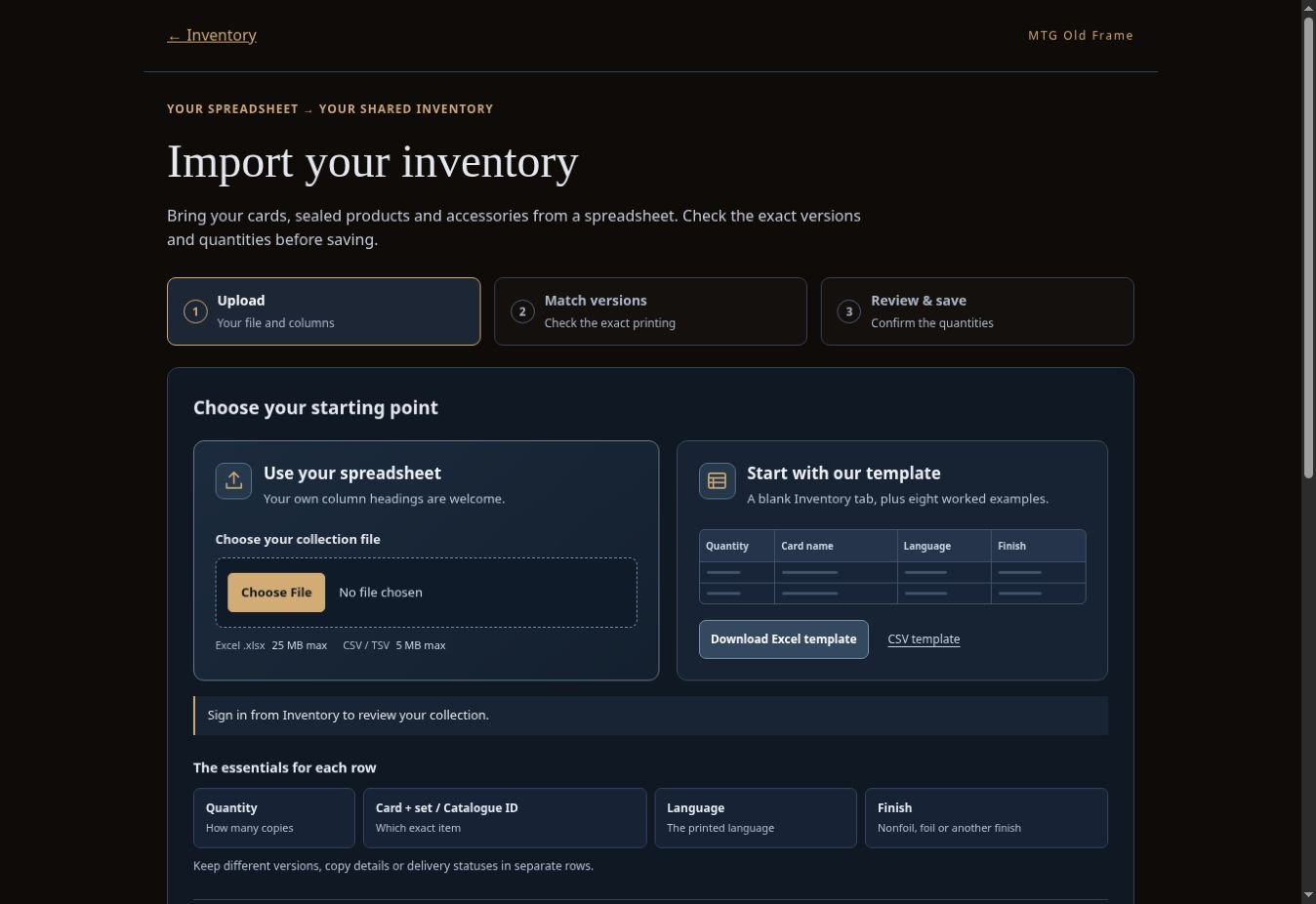
Upload Excel, CSV or TSV in Import inventory. Match your columns and versions, review the changes, then confirm. Choose Inventory totals for a stock list or Add purchases for new orders.
Export or show your collection
Download … filtered items (Excel)
All matching pages. Received + on the way.
Your public collectionFilter Inventory, then download the matching items from Export inventory. To share an album, change your project to Public and copy its link.
More details, only when you need them
How goals and inventory work
A goal does not add copies to Inventory. Matching received and incoming copies supply Have automatically, up to the Goal. The same physical copy can contribute to several projects. Edition, language, finish and any grading requirements must match. For Goal 2 and three matching copies, Have is 2, Want is 0 and Extras is 1. Use Select items to add a smaller selection.
Import totals or add new purchases
Inventory totals sets the file's received and incoming totals. It replaces quantities for versions in the file; other versions stay unchanged. Add purchases adds new copies and preserves existing groups and their details. Review the mode and preview before confirming. Use one row per version, status and copy-detail group. Identify cards by name and edition or exact Catalogue ID, with Language, Finish and Quantity. Use collector numbers to distinguish artworks. Unknown details stay blank. The separate Add purchase history to existing copies panel records purchase details without increasing quantities. Reuse the same Purchase reference when retrying an order and check any Already added message before confirming.
Grading, signatures, costs and storage
Manage copies lets you record PSA, CGC, BGS, TAG, SGC, certificates, subgrades, signatures, costs and locations. Copy the full CGC label: 10 Gem Mint or 10 Pristine. Beckett RCR is a projected grade. Keep different purchases or locations in separate groups. Update storage locations moves selected received groups after Preview changes. The separate Set location for received copies without a location action covers all unlocated received copies across the four sites, even outside the current filters.
Buy missing cards or record a sale
Use Purchase missing on MTG Collecting with the same account. Tick your projects, choose Save selection, then Show missing or Download missing (CSV). For a current sale, use Manage copies → Record sale → Record sale and subtract copies. For an old sale already absent from stock, Record past sale in Transactions adds history without subtracting again.
Export scope, prices and private details
The filtered Excel download includes all matching inventory entries, beyond the loaded page. The other downloads cover this site's catalogue or your entire shared inventory. Choose Workbook language, then Download Excel (.xlsx). Cards, Sealed, Accessories, Copy details, Transactions and Summary keep totals and copy records separate. The file can include purchase costs, locations and notes: review it before sharing. TCGplayer values are dated USD references for priced English-language copies; blanks mean unavailable. They exclude grading, signature and condition premiums. Spreadsheet edits do not automatically update the site. To export all your Traditional Chinese copies across the four sites, use Inventory on MTG Collecting, keep View on All inventory and filter Language → Traditional Chinese. The Old Frame site exports its catalogue scope. Extra is for surplus copies only.
Who can see your project?
Private projects are visible only to you. Unlisted projects can be visited through their link. Public projects appear in the museum. Albums show catalogue images and your published progress, including wanted pieces. Storage locations and inventory notes stay private. In Project settings, Show estimated values and price performance on this project's shared page is off by default. Enable it only if you want those figures on that project's shared page.